
The entry-level market is crowded. Being quick and unique is still the game
A Fortune report on Gen Z job hunting shows fewer entry-level postings and more competition per opening. Here is why applying early and standing out still work, and how to do both.
6 min readJobWhat Team
- Job market
- Entry level
- Strategy
A recent Fortune article by Emma Burleigh, republished on Yahoo Finance, has a headline that sums up the mood for a lot of early-career job seekers: "Despite the entry-level job apocalypse, half of Gen Z are planning to look for new work elsewhere before the end of the year."
It is worth reading in full. Here is what stood out to us, and what we think it means for how you spend your job search hours.
What the article reports
The piece pulls together several data points. All of the numbers below come from the article and the sources it cites.
- More young workers want to move. Around 55% of Gen Z professionals plan to look for a new job before the end of this year, according to staffing firm Robert Half, up from 32% in 2025. Pay is a major factor: more than half believe switching employers could raise their salary. Better benefits, flexibility and career growth also came up.
- The pay reward for switching has shrunk. Citing 2025 Atlanta Fed data, the article says workers who stayed put got a 4.6% wage increase in January and February, while those who switched got 4.8%. The gap between stayers and switchers hit its lowest level in 10 years.
- Confidence is low. The average perceived probability of finding a job after losing one fell to 43.1% in December 2025, according to the Federal Reserve Bank of New York. Consulting firm Korn Ferry describes many workers as "job hugging."
- Entry-level roles are scarcer and more crowded. A ZipRecruiter report found entry-level postings made up 38.6% of all postings this March, down from 44% in 2023, while clicks per job opening rose nearly 22% year over year. A Kickresume report found about 58% of 2024 to 2025 graduates were still looking for their first job, compared with 25% of graduates in previous years.
The article also mentions "ghost jobs," AI in hiring, and a sluggish hiring cycle, which it says have pushed some Gen Z job seekers to apply to thousands of postings or stage elaborate stunts to get noticed. Glassdoor chief economist Daniel Zhao, quoted from an earlier Fortune interview, put the stuck feeling plainly: "Even workers who are currently employed feel stuck in their jobs as the current job market limits their ability to find a better job and leverage to get a raise or promotion internally."
What we take from it
Put the ZipRecruiter numbers side by side: a smaller share of postings aimed at entry-level candidates, and more clicks on each opening. Whatever the exact mix of causes, the practical result for an individual applicant is the same. Each posting you care about has more people looking at it.
There are two broad responses to that. One is volume: apply to as many roles as possible and hope the numbers work out. The article notes some people are applying to thousands of postings. The other is to change when and how you apply so that each application has a better chance of being read. We think the second approach is the one that holds up, and it comes down to two things: being quick and being unique.
Be quick: the first day or two matters
Hiring teams do not read every application with equal attention forever. Many start reviewing as soon as applications arrive, and a posting can stop getting a close look once there is a shortlist, even if it stays live. We cannot give you a precise number for how much applying early helps, and we would be suspicious of anyone who claims one. But the logic is simple: when more people click on each opening, being in the first batch is one of the few advantages you control.
Practically, that means aiming to apply within the first 24 to 48 hours of a posting going up:
- Search by recency. On LinkedIn, sort by "Most recent" and use the "Past 24 hours" filter. The URL parameter
f_TPR=r86400gives you the same window, and a smaller number narrows it further. (Our LinkedIn search tricks post covers this in detail.) - Set a few sharp alerts instead of many vague ones, so new postings reach you the day they appear.
- Keep your materials ready. A current resume, a few adaptable project descriptions and your standard answers (work authorization, start date, links) should be one copy-paste away. Speed comes from preparation, not from rushing the application itself.
- Skip the obvious long shots. Reposted listings and roles that have been up for weeks are not worthless, but when time is short, fresh postings deserve your first hour.
Be unique: give a reader a reason to stop
Speed gets you seen earlier. It does not get you picked. With more applicants per role, the application that stands out is the one that clearly belongs to this job:
- Tailor the top of your resume. Rework your summary and the first bullets of your most recent role so the posting's two or three core requirements are visible in the first few seconds. You do not need to rewrite everything for every job.
- Show proof of work. For entry-level candidates especially, a small portfolio, a GitHub repo, a case study or a writing sample says more than a list of skills. Link it near the top.
- Send one specific message. If the posting lists a hiring team, send a short note after applying: the role, one concrete reason you fit, and a link to relevant work. Specific beats long.
- Choose where to go deep. Easy Apply roles fill up quickly. Company-site applications take more effort, which is exactly why fewer people finish them. Put your careful, tailored work into the roles you want most.
Quick and unique are not in tension
It can feel like you have to choose between applying fast and applying well. You do not, as long as the repetitive parts are handled. The time most people lose is not in writing a thoughtful note. It is in reopening listings they already saw, retyping the same history into every form, and trying to remember where they applied.
That is the part we built JobWhat to take off your plate, and we want to be clear about what it does and does not do:
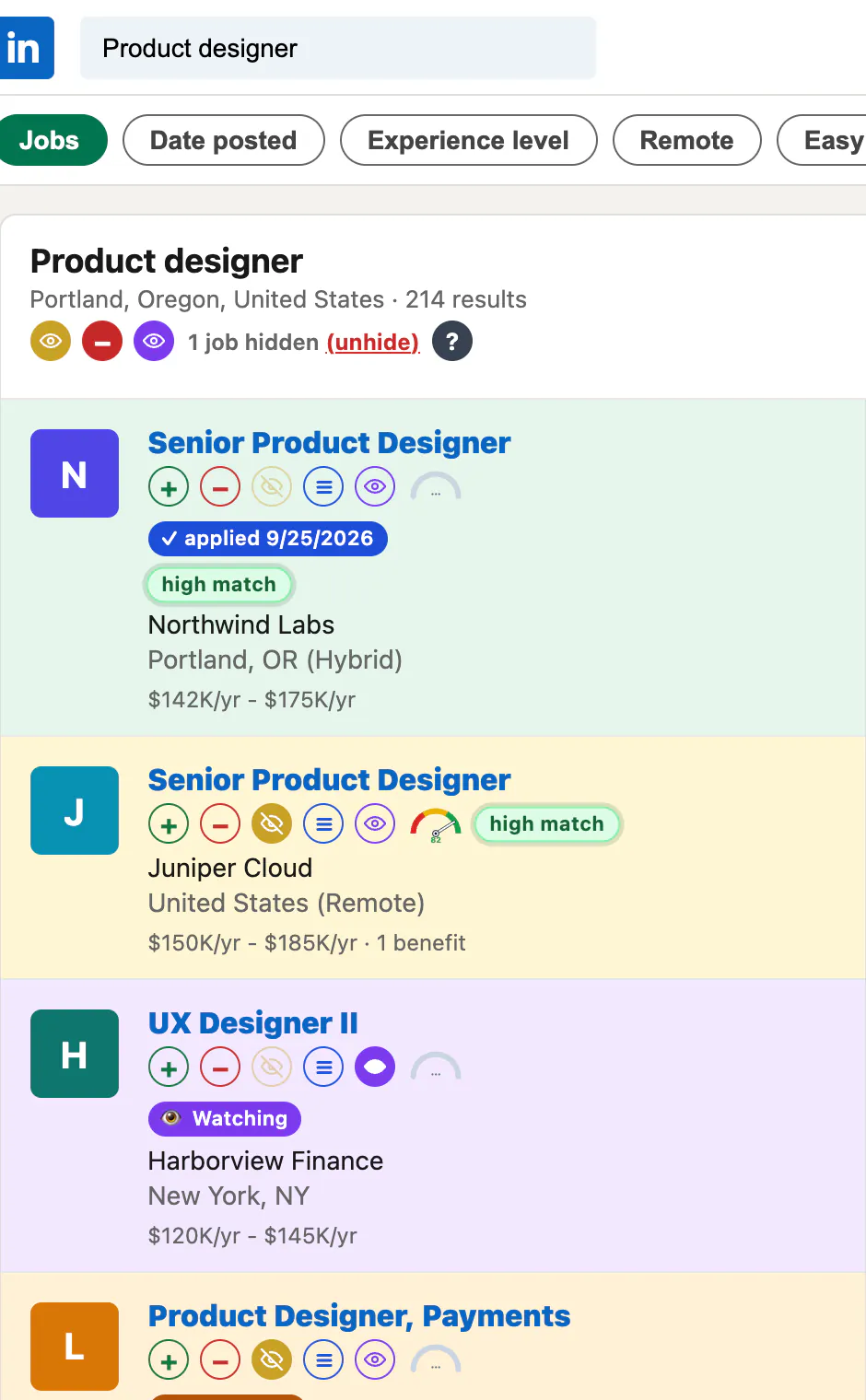
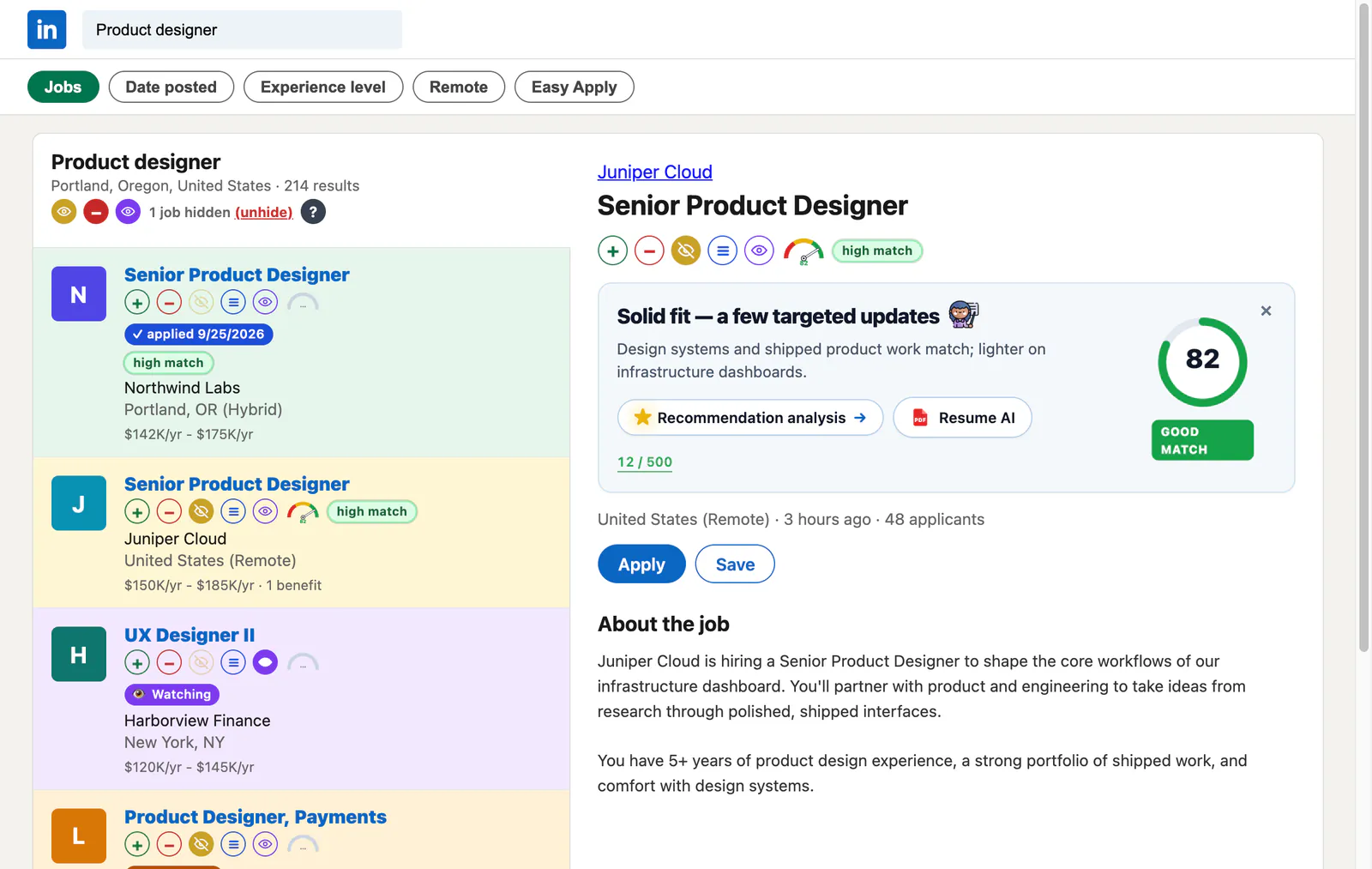
- It helps you move through LinkedIn results quickly. Viewed, applied and queued jobs are colour-coded, hidden jobs stay hidden on future searches, and jobs already in your log show a chip like "Applied · 3d ago." That makes a "Most recent" search much faster to scan.
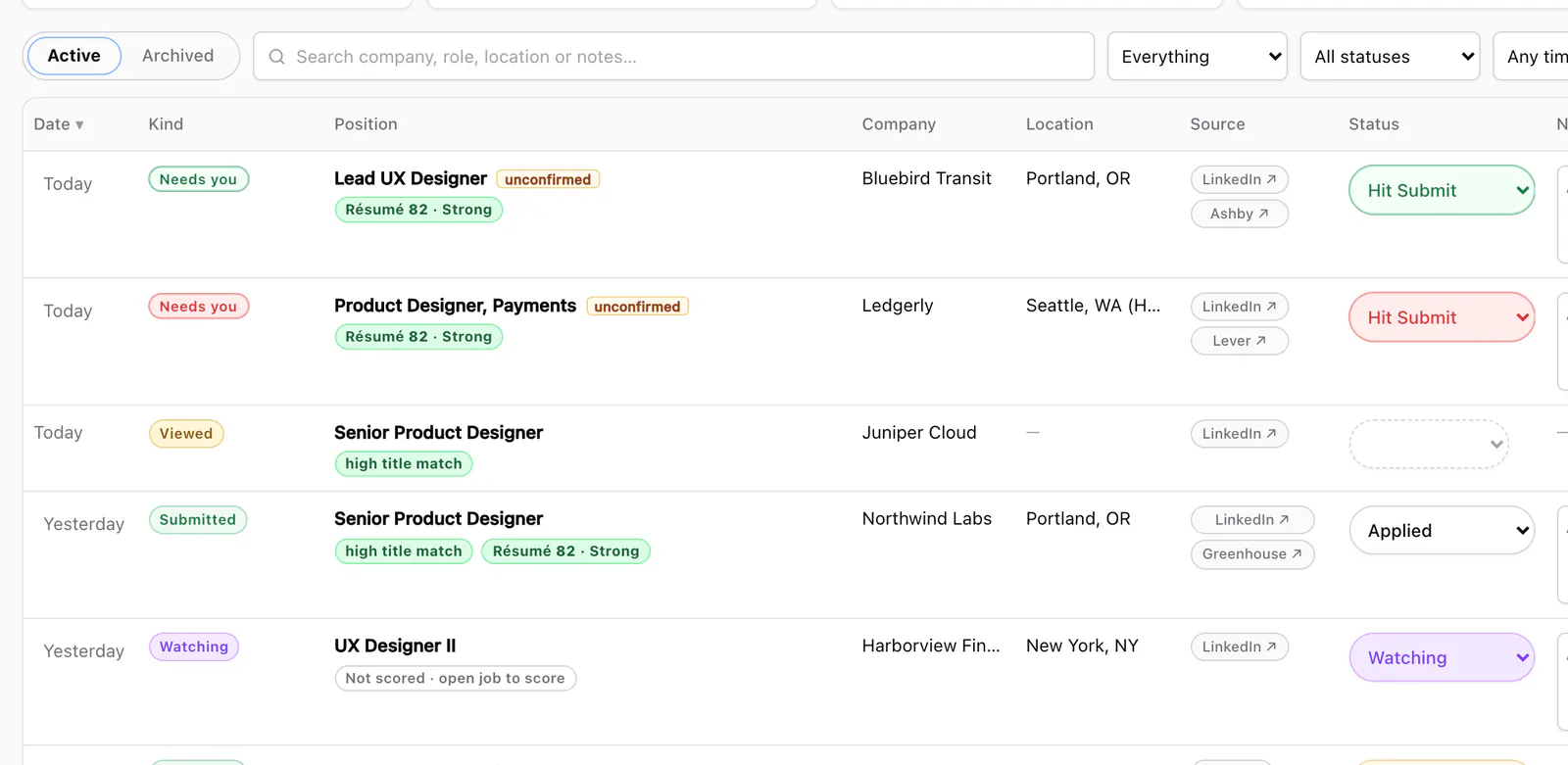
- It fills applications for you to review. Autofill works on Greenhouse, Ashby, Lever, Workday, Gem and Rippling. On LinkedIn you can queue company-site jobs; JobWhat opens each one in a background tab and fills it. On Greenhouse, Lever and Ashby, Auto Submit (on by default; you can turn it off in Settings) presses Submit when every field is filled and nothing needs review. Otherwise the job stops at Hit Submit so you review and press Submit yourself.
- It can check your fit before you apply. Opt-in AI resume analysis scores a posting against your resume and suggests bullet updates you can copy, which gives you a head start on the tailoring above.
- It does not write your outreach or build your portfolio. The unique part is still yours. JobWhat just gives you back the time to do it.
The market the article describes is hard, and no tool changes the number of openings. What you can change is how early you show up and how clearly your application fits the job. That was the game before, and it still is.
Add JobWhat to Chrome and try every feature free for 14 days.